

FHIR® API Implementation
This query flow is part of Particle's supported legacy workflows for existing customers.
This is a basic implementation guide for using Particle's API to request FHIR® resources. We will cover the supported resources and the query parameters available when retrieving them.
Particle's FHIR® API Flow
To use Particle's FHIR® API, follow these steps in order.
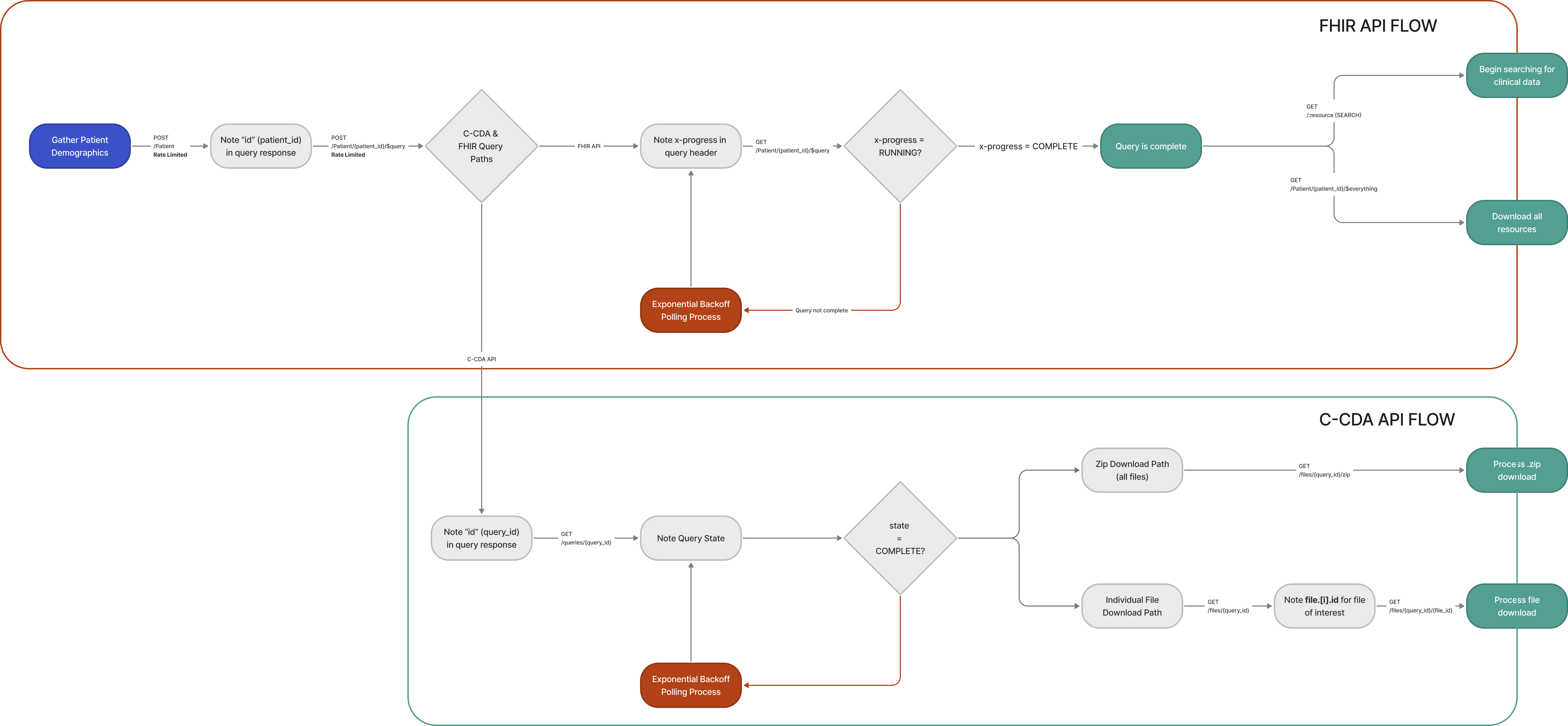
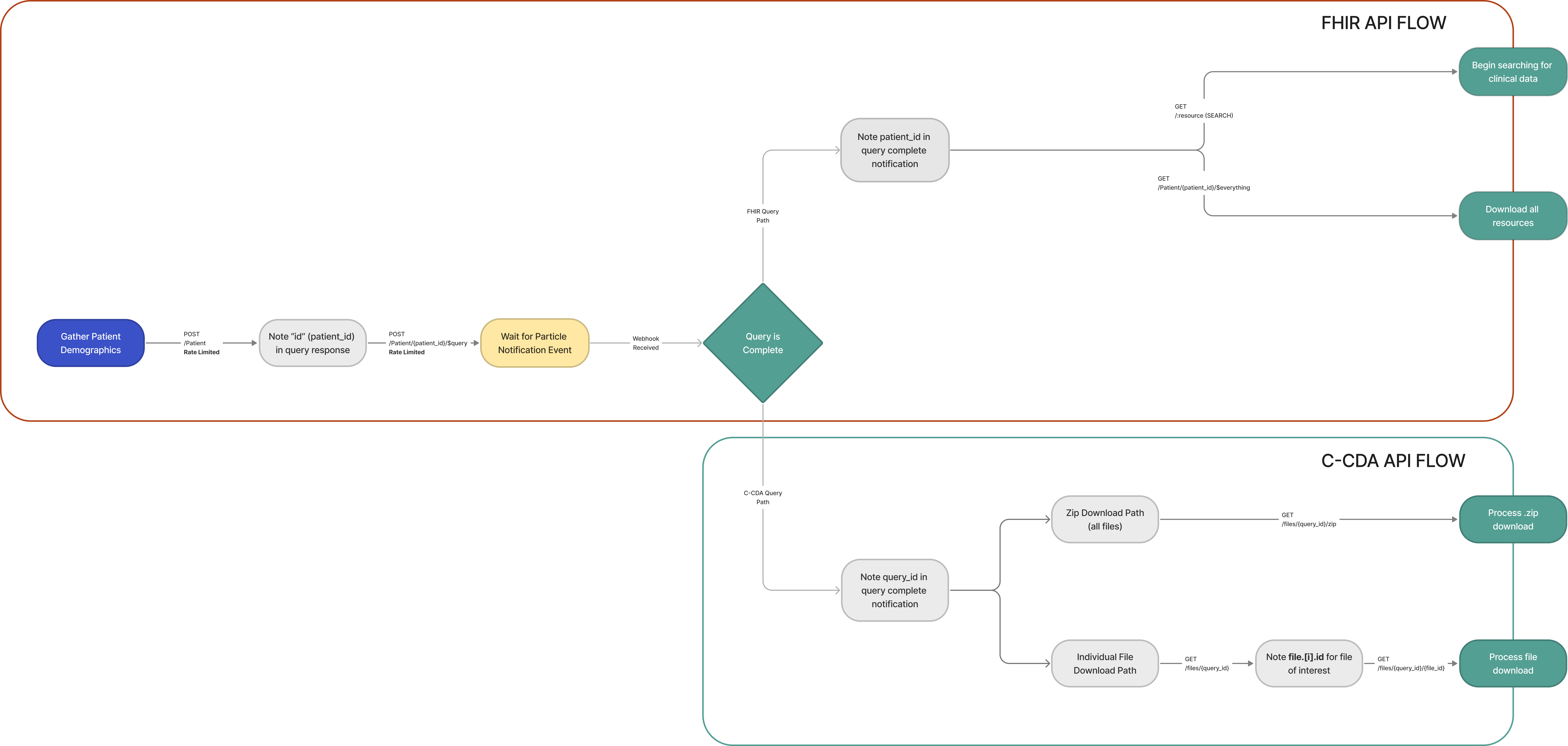
POST Patientto submit a set of demographics and obtain a PatientID.POST Patient/{patient_ID}/$queryto submit a query against the CommonWell and CareQuality networks for a given PatientID.GET Patient/{patient_ID}/$queryto check the status of the query for completion or failure.GET {resource_type}to pull the resources of that type for a given PatientID, paging through the results as described below.
Polling for Query Status
Webhook Notification for Query Status
Particle Supported Query Parameters
GET {resource_type} accepts the query parameters below. Any other query parameter returns a 400.
| Parameter | Description | Example |
|---|---|---|
patient | Required. The FHIR® Patient ID whose resources you want. Omitting it returns a 400. | ?patient={patient_id} |
_count | Limits the number of resources returned on a single response page. Default and maximum 1000. | ?patient={patient_id}&_count=50 |
_page_token | Returns the next page of results. Take the value from the next link in the previous response rather than constructing it yourself. | ?patient={patient_id}&_page_token={token} |
For how paging works in detail — reading the link array and walking it to the end — see Paging Through FHIR® Results.
Particle Supported FHIR® Resources
Particle supports a sub-set of FHIR® resources when data is parsed from C-CDA to FHIR® format. See the supported resources list here.
Usage Examples
Get all resources for a given person:
- Request Composition resources for a given person and save all URLs returned
curl -X GET 'https://api.particlehealth.com/R4/Composition?patient={patient_id}' -H 'Authorization: {jwt}' - Make a request for each URL saved from the returned Compositions in Step 1
curl -X GET 'https://api.particlehealth.com/R4/{saved_url_resource_type}/{saved_url_id}' -H 'Authorization: {jwt}'
Get all Observation resources for a given person:
curl -X GET 'https://api.particlehealth.com/R4/Observation?patient={patient_id}' -H 'Authorization: {jwt}'
Compliance
Particle Health produces FHIR® R4B (version 4.3.0) resources. R4B is backward-compatible with R4 for every resource Particle emits, so existing R4 clients require no changes, and this API's path remains /R4/.
Particle supports a subset of FHIR® resources and a subset of query parameters, both described above. The /R4/metadata CapabilityStatement operation is not supported.
Updated about 2 months ago